
Cloud-Based Surveillance Systems
Most people assume security is about locks, guards, and cameras bolted to walls. That assumption aged poorly. What’s actually protecting modern businesses, schools, and multi-site enterprises today is something you can’t physically touch — a cloud-based surveillance system quietly processing video footage on remote servers, accessible from any internet-connected device, anywhere on the planet.
The shift isn’t cosmetic. It’s architectural. Traditional CCTV relied on DVR and NVR hardware sitting on-site — physical boxes that filled up, got stolen, caught fire, or simply stopped recording at the worst possible moment. Cloud video surveillance eliminates that single point of failure by transmitting encrypted video data over a secure internet connection to offsite cloud storage, where it can be retrieved, reviewed, and shared in real time. Organizations managing IT infrastructure and security solutions increasingly recognize this shift as foundational rather than optional.
What Is Cloud-Based CCTV and How Does It Actually Work?
At its core, cloud-based CCTV replaces the local recorder with a remote server. IP cameras — whether wired via Power over Ethernet (PoE) or connected via Wi-Fi — capture footage and transmit it directly to the cloud rather than to a local NVR/DVR. The result: no bulky o
nsite hardware, no manual firmware updates, no risk of footage being overwritten when storage capacity runs out.
The mechanism is no different from services already embedded in daily life — streaming platforms, cloud email, collaborative documents. Security footage becomes another data stream, managed through a cloud VMS (Video Management System) that can be accessed via browser or mobile app. What changes is the scale of control. A facility manager in one city can view live footage from a site two countries away, configure motion detection alerts, and export video clips to law enforcement all within minutes.
VSaaS (Video Surveillance as a Service) is the commercial model behind this: a recurring subscription covering cloud storage, automatic updates, AI analytics, and customer support, bundled into a predictable cost structure that replaces unpredictable hardware maintenance expenses.

The Benefitsof Cloud Security Camera Systems for Business
The operational advantages compound quickly once a cloud-based security camera system is live.
Remote access is the headline feature, but it runs deeper than convenience. Security teams gain the ability to perform investigations across multiple locations simultaneously — pulling footage from a retail site in one region while reviewing real-time alerts from a warehouse in another, without leaving a desk. For enterprises with multi-site operations, this centralized visibility used to require expensive dedicated networks. Now it requires a login.
Scalability works differently in the cloud too. Adding a new location doesn’t mean purchasing additional NVR recorders or expanding a server room. New IP security cameras connect to the existing cloud platform, storage scales automatically, and the same software updates roll out uniformly across every site. Compare that to traditional systems where each location ran its own version of firmware, creating gaps that attackers routinely exploit.
Unlimited access to historic footage also changes how incidents get investigated. Legacy systems often overwrote footage automatically when drives filled — meaning the recording from the exact date of an incident was gone. Cloud video library storage retains footage for 30 to 90 days as standard, with archiving options for critical clips. Downloading and sharing footage via URL, SMS, or email takes seconds rather than a physical trip to retrieve a hard drive.
Less maintenance closes the loop. Over-the-air updates keep cybersecurity protocols current without dispatching technicians. Multi-factor authentication reduces unauthorized access risk by as much as 99%. And because cloud providers monitor their infrastructure continuously, businesses are protected by a dedicated security operation rather than relying on an in-house IT team stretched across competing priorities.
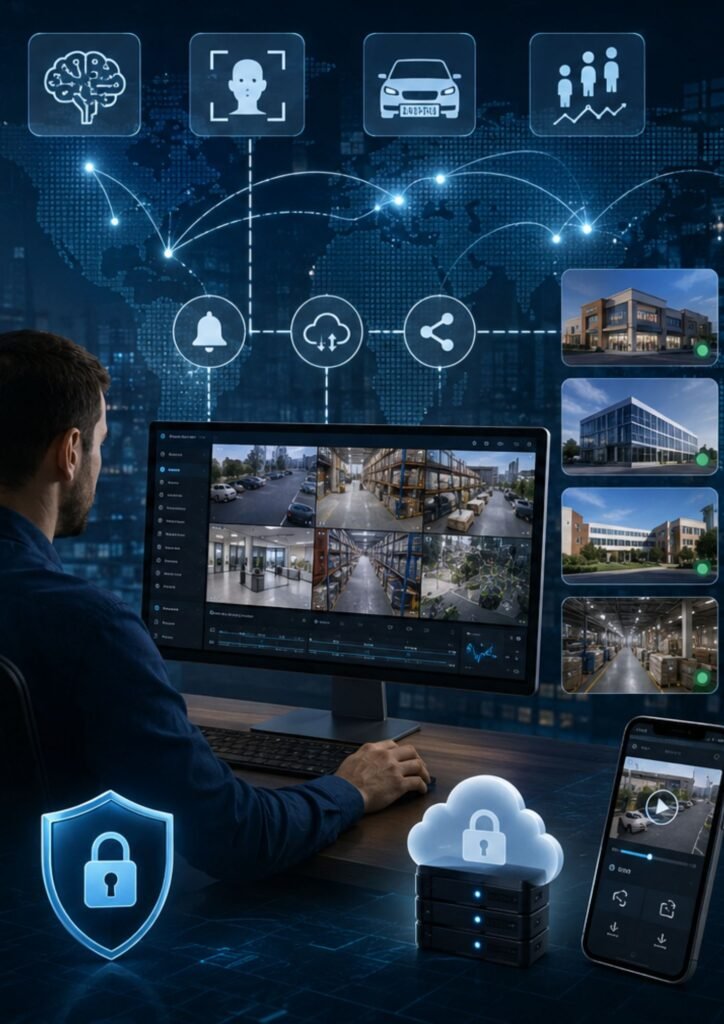
Cloud vs. Local Security Cameras: What the Data Shows
The honest answer is that both have valid use cases — but the direction of adoption tells the story. Enterprise organizations across retail, healthcare, education, construction, manufacturing, and government sectors have been systematically migrating away from on-premise systems toward cloud-based video management.
The practical calculus is straightforward. Local security cameras require high upfront costs for hardware, manual updates, and on-site access. Cloud security cameras carry a lower initial investment, automatic firmware management, and native remote access. For businesses that need flexible storage capacity and the ability to add locations without proportional hardware spend, the cloud model wins on almost every dimension.
The one scenario where local systems still hold ground: environments with unreliable internet connection or strict data sovereignty requirements where footage cannot leave a physical premises. Outside those specific constraints, the cloud offers more capability per dollar spent.
What to Look for in a Cloud Security Camera System
Not all cloud surveillance platforms are equal. When evaluating providers for business security solutions, four capabilities separate useful systems from genuinely powerful ones.
First: AI video analytics. The best platforms use artificial intelligence to enable intelligent search across footage — facial recognition, license plate recognition, people counting, color search, noise detection, audio analytics — rather than forcing operators to manually scrub through hours of recording. Real-time alerts triggered by actual anomalies rather than every passing shadow make security proactive instead of reactive.
Second: open platform architecture. A cloud VMS with an open API connects to access control systems, visitor management platforms, IoT sensors, and third-party integrations — building a unified security picture rather than a collection of disconnected tools.
Third: full-stack capability. The provider should handle HD-capable IP cameras, cloud-based NVR infrastructure, VMS software, cloud storage and archiving, and local on-camera storage as a coherent system — not a patchwork of components from different vendors that fall apart at the seams.
Fourth: export and sharing functions. When an incident occurs, speed of evidence delivery matters. A system that complicates footage export under pressure fails the one moment it most needs to perform.
FAQs: Cloud-Based Surveillance Systems
Can cloud cameras function without an internet connection? No. Cloud surveillance cameras require an active internet connection to transmit data to remote servers. However, many systems include local on-camera storage as a buffer, ensuring footage is not lost during brief connectivity interruptions.
How long is footage stored in the cloud? Standard cloud storage retention is 30 to 90 days, depending on the provider and subscription tier. Video library storage options allow businesses to archive critical footage indefinitely.
Can existing analog cameras be migrated to cloud surveillance? Yes. Hardware appliances — sometimes called cloud connectors or cloud adapters — bridge older analog camera systems to a cloud-based VMS, enabling remote access and cloud data storage without a full hardware replacement.
What types of businesses benefit most from cloud surveillance? Any organization managing multi-site operations, requiring 24/7 monitoring, or prioritizing scalability and centralized management — including corporate enterprises, retail chains, healthcare facilities, education campuses, and government buildings — gains significant operational advantages from cloud-based video surveillance.
How secure are cloud surveillance systems? When properly configured, cloud-based camera systems benefit from continuous security monitoring, automatic software updates, encrypted data transmission, and features like multi-factor authentication that reduce breach risk substantially. Security gaps typically arise from poor implementation rather than inherent platform weaknesses.