
Understanding CCTV Camera Resolution (HD vs 4K)
Here’s what most security guides skip upfront: the resolution you select affects everything downstream — storage, bandwidth, infrastructure, budget, and whether footage becomes usable evidence or an expensive failure. I’ve reviewed enough post-incident footage to know that choosing between 1080p and 4K isn’t simply about the bigger number. It’s about what your specific property actually demands — your surveillance objectives, the physical layout, and the infrastructure you’re prepared to maintain.
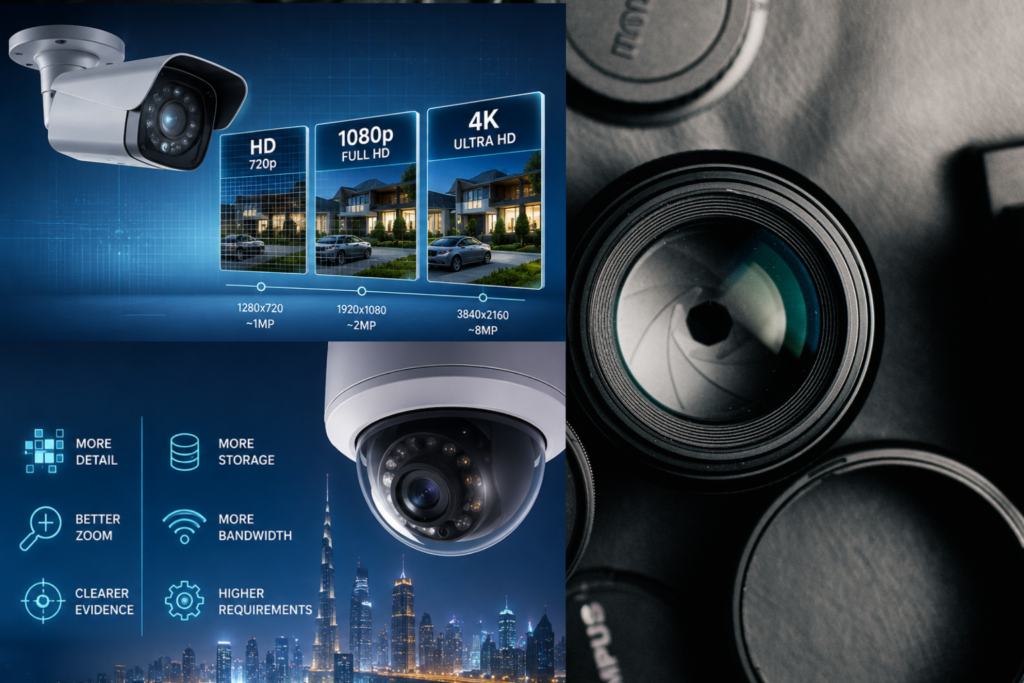
Real security camera decisions start with pixel counts. Resolution measures how many pixels an image contains — more pixels means finer detail, larger file sizes, and heavier demands on your NVR or DVR. Megapixels are simply millions of pixels. 720p HD sits at 1280×720 — roughly 1MP. 1080p (Full HD / FHD) at 1920×1080 delivers approximately 2MP — the “p” denotes progressive scanning, meaning frames display top-to-bottom sequentially. 4K (ultra HD / UHD) at 3840×2160 delivers 8 megapixels — four times the pixel density of 1080p. Two common 4K standards exist: 3840×2160 and 4096×2160, also referenced as 2160p cameras. The aspect ratio of 1080p is 16:9, matching modern displays for seamless smooth playback.
4MP, 5MP, and 2K (1440p) sit between 1080p and 4K, each offering progressively wider field of view and sharper digital zoom capability. Most 4MP and 5MP cameras apply the H.264 compression codec as standard. For analog systems, resolution is measured in television lines (TVL), while IP cameras use megapixels. The image sensor behind the lens — not just the number — determines real-world image quality.
What 1080p HD Actually Delivers — And Where It Stops
1080p is consistently underestimated. For the majority of indoor environments, homes, small businesses, and general surveillance applications, 2 million pixels produce footage that is genuinely vibrant, sharp, and clear. Covering entry points, hallways, aisles, stockrooms, common areas, and monitoring package delivery — full HD handles all of it reliably without demanding complex infrastructure. Decoding 1080p video demands significantly less CPU processing than 4K, keeping video loading faster and smooth playback consistent across a wide range of devices.
For non-professional users needing a cost-effective setup, 1080p is a genuinely strong choice. It requires less storage space, consumes far less bandwidth, and works well in well-lit conditions for general surveillance of retail aisles, hallways, common areas, and residential entry points. Schools commonly deploy 1080p throughout internal hallways while reserving higher resolution for entrances.
Where 1080p runs out of runway is digital zoom and distance. Crop into a full HD frame to identify a face beyond close range, and the image degrades rapidly. Licence plate capture at distance becomes unreliable. Facial recognition fails under these conditions. The limitations of 2MP become most apparent precisely when footage matters most — during investigations, disputes, or legal proceedings.
Where 4K Changes the Game
4K at 3840×2160 delivers 8MP — over 8 million pixels per frame. That is four times the pixel density of standard 1080p, and the difference is not subtle in practice. Professional 8MP systems provide clear facial detail from at least 50 feet in adequate lighting — a distance where 1080p footage becomes operationally unreliable. The wider field of view of 4K cameras means fewer cameras can cover equivalent space, directly reducing infrastructure investment in large deployments.
4K delivers where it cannot be substituted: parking lots, perimeter security, traffic surveillance, lobbies, warehouses, retail stores, stations, shopping malls, ATM locations, checkout areas, and vehicle entry points where license plate capture is operationally critical. Wherever forensic-quality evidence matters — law enforcement investigations and legal-grade proceedings — higher resolution footage produces measurably better outcomes. 4K also enables smart surveillance and more complex solutions: future-proof installations, AI-driven analytics, and digital zoom into specific frame regions without quality collapse.
4K demands honesty about its costs. Up to 4 times more hard drive space than 1080p at the same settings. Approximately 4 times the network bandwidth for streaming. Under constrained bandwidth, latency is more likely during live feed or playback. In very low light scenarios, the smaller pixels of 4K sensors can actually underperform 1080p cameras fitted with larger sensors optimized for light sensitivity — a frequently overlooked trade-off.
The Variables That Matter More Than the Number
Resolution is the headline specification — not the whole picture. Sensor size determines light-processing capability. Larger sensors deliver better low-light performance independently of resolution. Lens quality matters equally: plastic lenses cannot deliver clarity or performance regardless of the image sensor behind them. Invest in optics before megapixels.
Night vision and IR illumination determine whether 4K footage after dark is actionable or an unstable image. IR LEDs with range matched to actual monitoring distance is non-negotiable. Light sensitivity ratings and IR illumination strength require separate evaluation when comparing 4K and 1080p for darkness — this is where a 1080p camera with a quality large sensor can outperform a budget 4K unit.
H.265 (HEVC) compression transforms the storage and bandwidth equation entirely. Recording 4K 8MP video with H.265 uses approximately half the storage space and bandwidth of H.264 at equivalent quality — making ultra HD surveillance economically viable at scale. Weather protection on outdoor cameras preserves recording quality across environmental conditions. Positioning away from obstructions and maintaining a stable network for IP cameras are operational requirements that resolution alone cannot substitute.
Recording equipment — your DVR or NVR — must fully support the highest resolution camera in the system. Equipment recording at lower resolution than the camera’s capability compresses video files and negates the entire 4K investment. Verify compatibility before purchasing. Factor retention period, multi-camera setups, and total infrastructure costs alongside ongoing expenses — not just the initial purchase cost of the cameras themselves.
The Hybrid Strategy Most Deployments Get Right
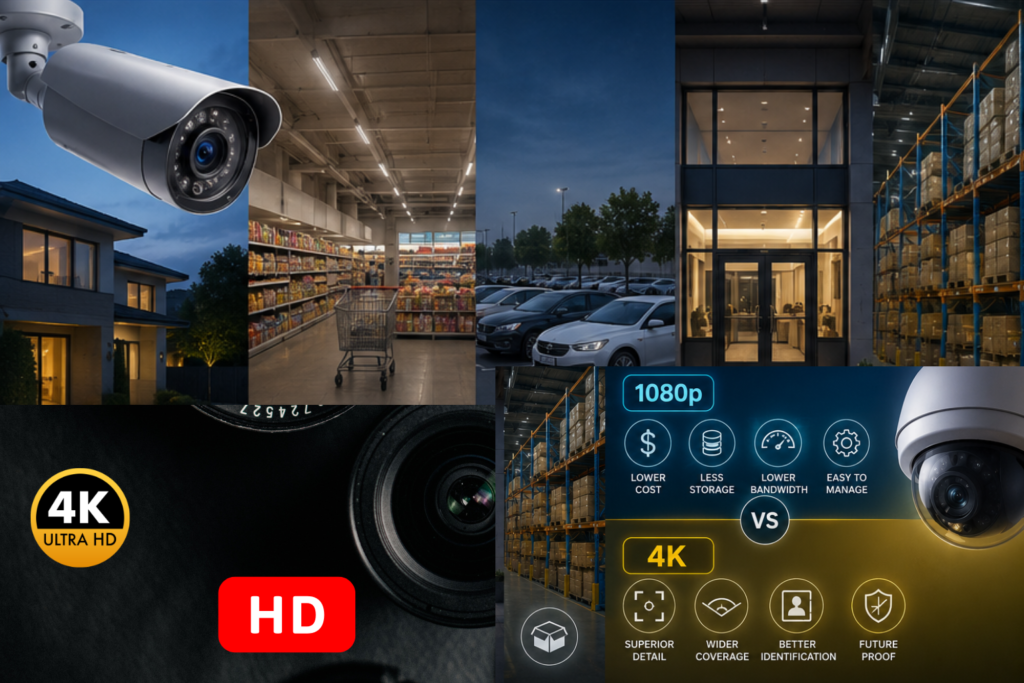
The most effective security installations don’t pick a single resolution and apply it everywhere. They use a hybrid approach: 4K at identification points — entrances, exits, registers, cashier positions, gate entry, parking, main entrances — and 1080p for general coverage — hallways, common areas, aisles, stockrooms. A retail deployment using this balanced strategy spends less than a full 4K rollout while achieving stronger security effectiveness at every position that matters.
A school placing 4K outdoor cameras at vehicle entry points and 1080p through internal hallways achieves the same logical split. System design, installation, and configuration — not the specification sheet — determine whether any surveillance investment delivers its expected value. Cost control and infrastructure demands both respond to a well-planned hybrid design.
For homes and small businesses with limited storage capacity and constrained network bandwidth, 1080p remains the cost-effective choice for general surveillance. Sub-$100 entry pricing for quality high-definition cameras has made affordable, reliable full HD accessible to every budget. Compatible equipment, proven performance, and lower bandwidth requirements make 1080p the right foundation for most residential and small commercial deployments.
Where long-range identification, facial recognition, license plate identification, transaction monitoring, or future-proofing are genuine operational priorities — the case for 4K is clear, measurable, and worth every additional investment in storage and bandwidth infrastructure.